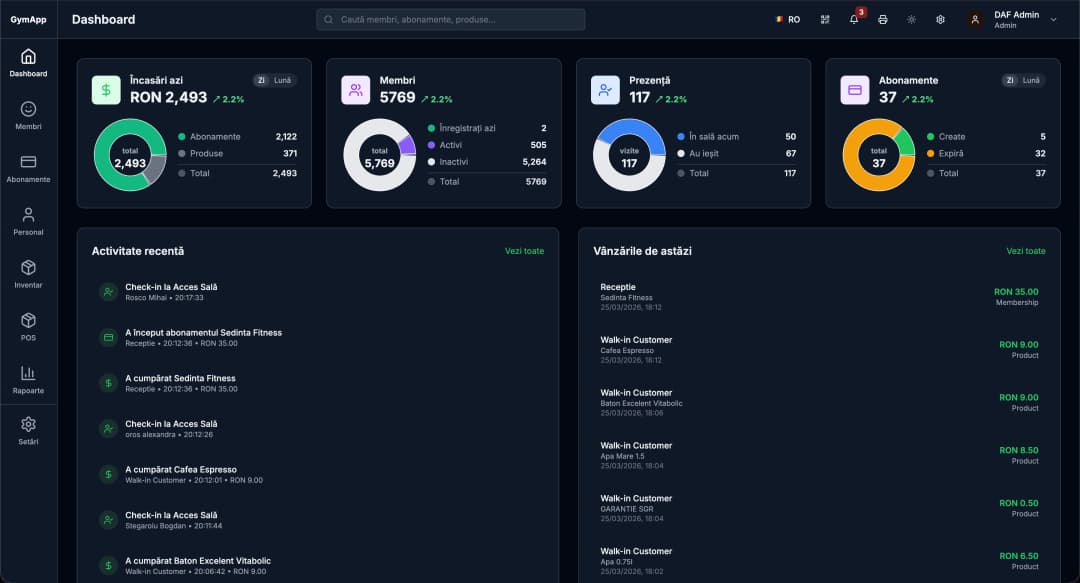
Football Schools
The app built for football schools
Organize age-based groups, mark attendance at every training session and keep payments up to date — all in one place, straight from the phone.
Everything your school needs, in one app
From age-based groups and training attendance to memberships and automatically informed parents — no notebooks, no spreadsheets.
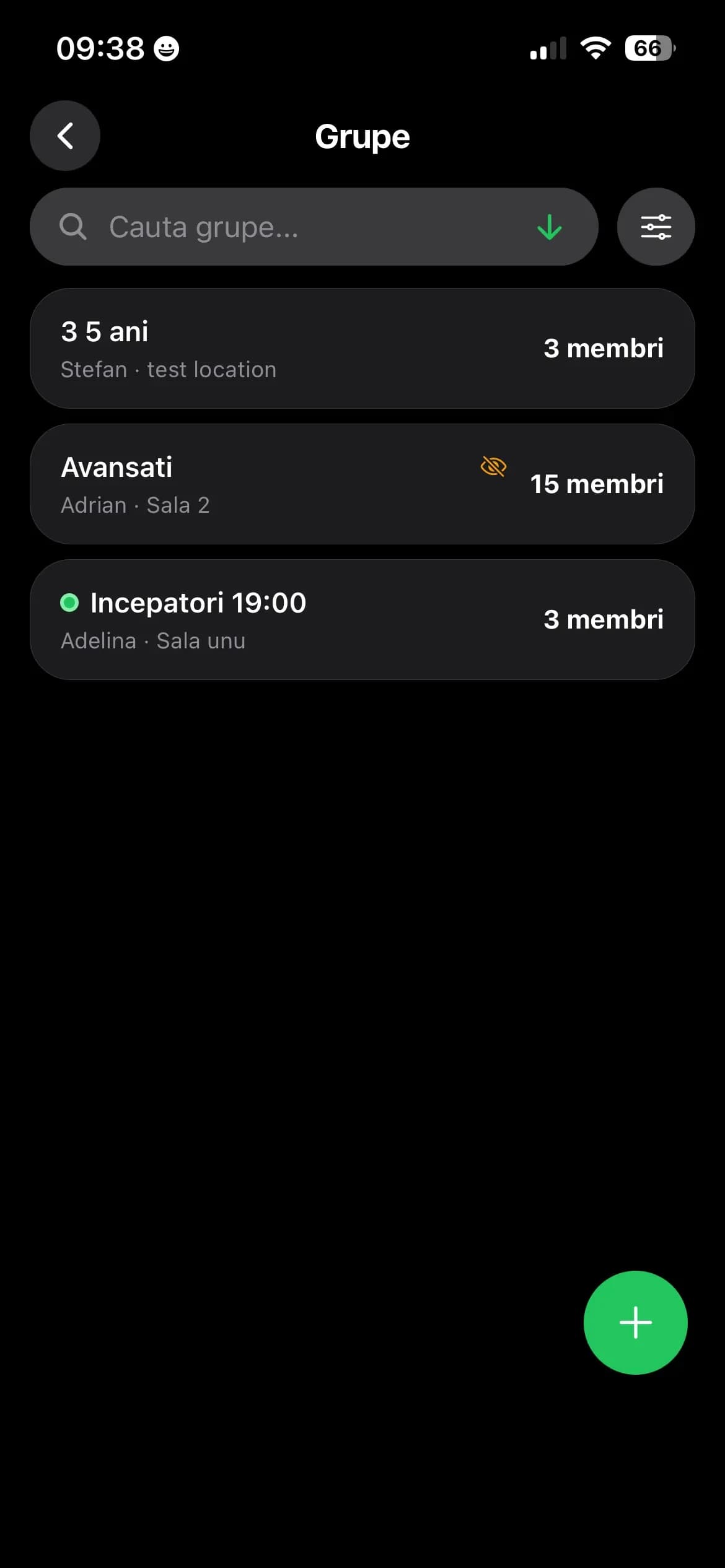
Age-based groups
Organize kids into groups — ages 3–5, beginners, advanced — each with its own coach and field.
How it works
How SmartGym works for your football school
From the first account to training-day attendance, everything is built to be simple. You configure services, memberships and groups once — then the day-to-day is just: start the session, mark attendance, done.
Set up your school's services and memberships
We create your account, you configure the payment methods and define your school's services — access to the football field, one-on-one training or anything else you offer. Create as many services as you like; most schools on SmartGym use just one: club access.
Then you create the memberships, each with its own options and prices. Validity is set in days, weeks, months or years, and can be combined with a number of sessions — for example, a membership valid for one month and 8 sessions. Each training the child attends consumes one session, and the membership expires when the sessions or the period run out, whichever comes first.
Create groups by age and level
Groups take seconds to create: give them a name — "Ages 3–5", "Beginners 19:00", "Advanced" — and pick the room or field. You can tie the group to specific memberships or leave it open to all; most schools don't filter and allow every membership.
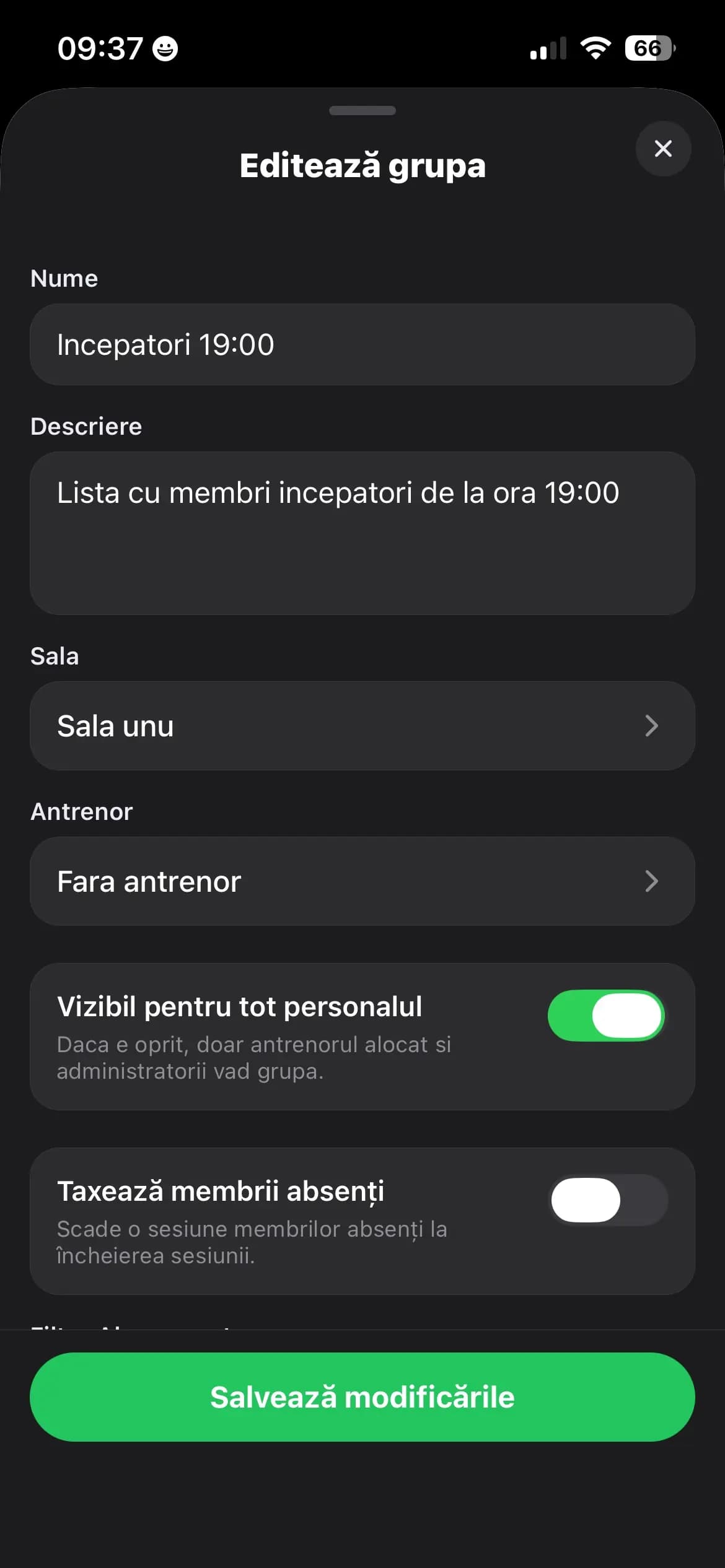
Set the group rules once
Choose whether the group is visible to all staff or only to its coach — who is also shown to parents in the app. This is also where you decide what happens to absentees: if an enrolled child is missing when the session starts, their session is deducted or not. Your call, per group.
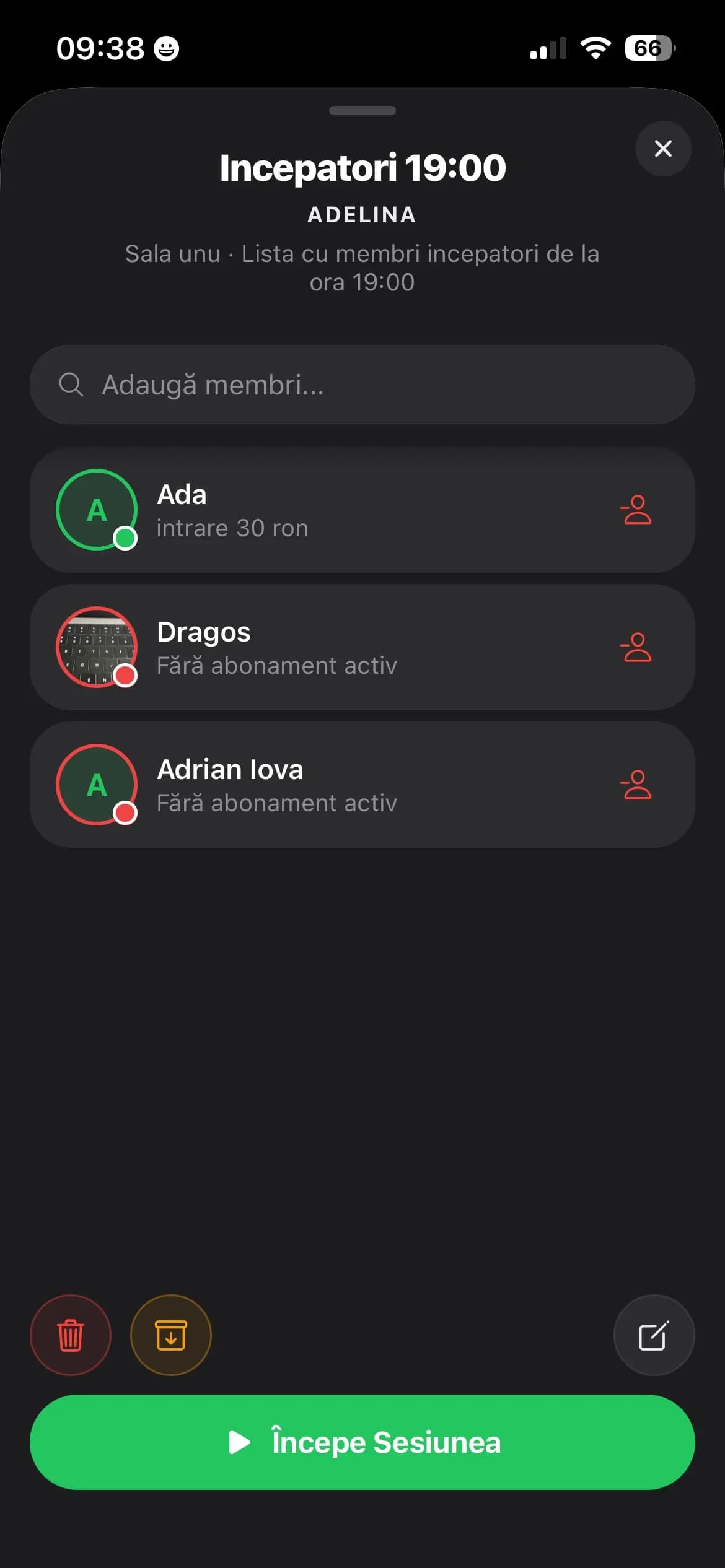
Add kids to groups and move them as they progress
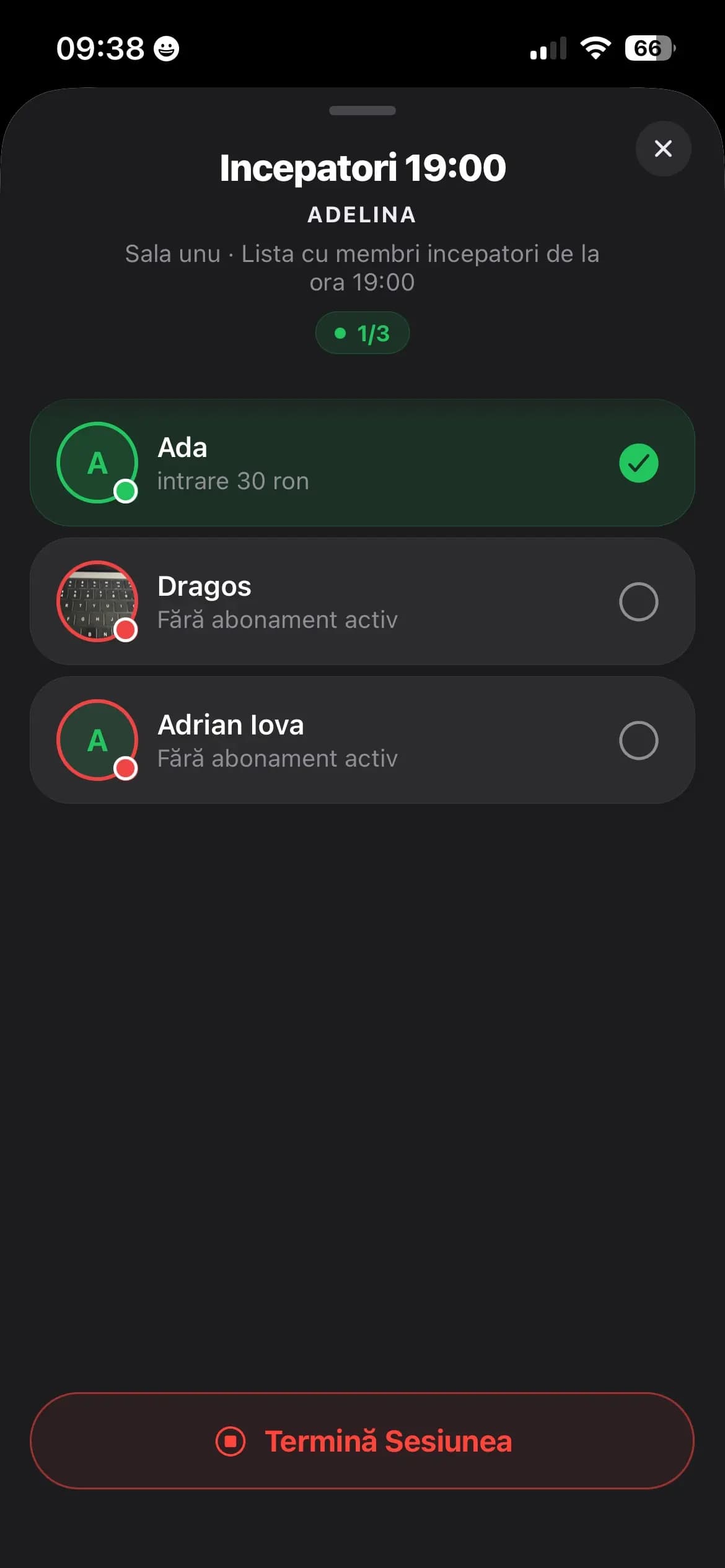
Search for the member, add them to the group and see at a glance who has an active membership and who doesn't. When a child levels up, move them from "Beginners" to "Advanced" in two taps — their attendance history stays intact.
Start the session and mark attendance in one tap
You or the coach start the session right from the field, on the phone. Mark who's present, end the session, and sessions are deducted from memberships automatically. Forgot a session open? The system closes it on its own after an hour and applies the group's rules.
Every session feeds the reports: who attended, who was absent and when — exportable anytime, by period, group or coach.
Notifications keep payments up to date for you
SMS, push or email — you pick the channels. Parents are automatically notified when 3 sessions are left on the membership, when it expires in a few days or when they haven't renewed for two weeks. All templates come preloaded with the notifications module, and you can tweak them or rewrite them completely.
Frequently asked questions about SmartGym for football schools
The standard for Romania's top gyms. SmartGym.
Sign up and start today: fast reception, members, access and reports — in one platform.